
Joyflix Plus
Jayhawk Pipeline, L.L.C.Entertainment
4.6287.00 Reviews
- Version
- 1.0.7
- Installs
- 100.00K
- Age Rating
- Teen
Screenshots
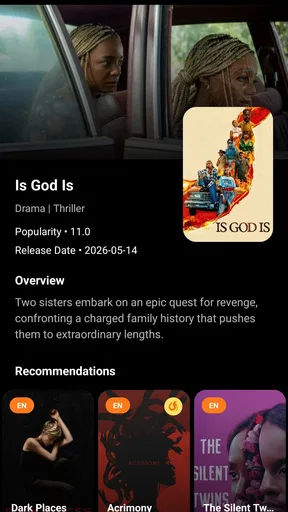
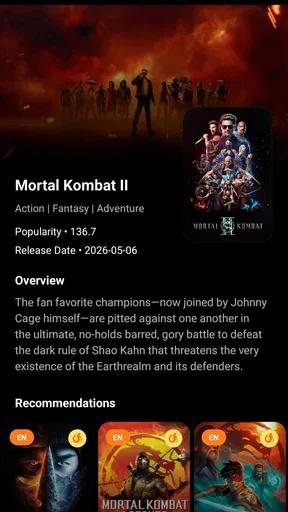
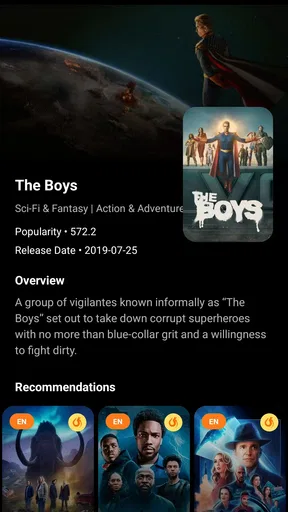
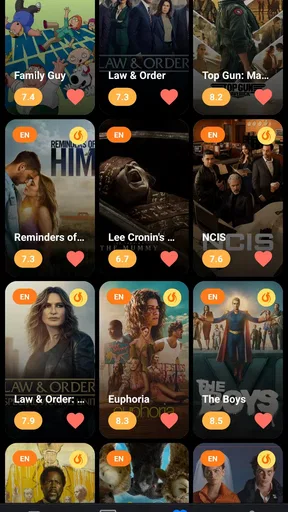
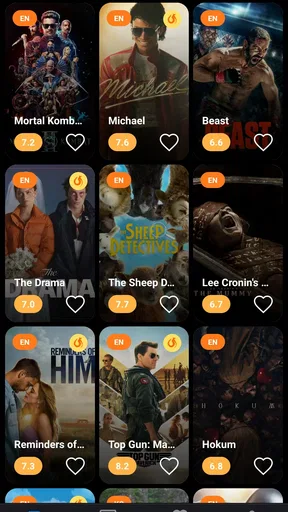
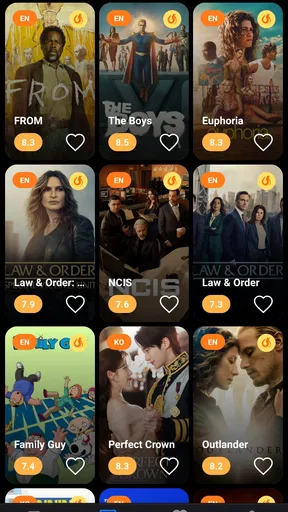
Our Review of Joyflix Plus
 Analysis by Appyee
Joyflix Plus is the kind of entertainment app I would open when I want a quick orientation before choosing a movie or TV show, rather than a full replacement for a streaming service. Its focus is basic information, and that narrow purpose is also its clearest strength: it keeps the decision-making step separate from the actual watching. I found it most useful when I already had a title in mind or wanted a simple starting point without committing to a subscription.
Developed by Jayhawk Pipeline, L.L.C., this free app sits in the entertainment category and is aimed at Teen users. Its current version is 1.0.7, and it runs on devices using Android 8.0 or later. The audience response is encouraging, with a 4.6 average from around one thousand ratings and more than one hundred thousand installs. Those figures suggest that the straightforward approach is finding an audience, although they do not change the app’s basic role: it is an information companion, not a place to watch complete programs.
What Joyflix Plus does well when you are choosing something to watch
The strongest part of the experience is its modest scope. Many entertainment products try to combine discovery, playback, subscriptions, recommendations, watchlists, trailers, social activity and account features in one crowded interface. Joyflix Plus presents itself around basic information about movies and TV shows, which makes it easier to approach when I do not want another complicated media hub.
That simplicity matters in ordinary situations. Imagine finishing dinner with friends while someone suggests a film nobody knows well. Instead of opening several services and jumping between pages, you can use Joyflix Plus as a first stop to understand what the title is about and decide whether it deserves more attention. If the group then wants to watch it, you can move to the appropriate streaming or rental service. The app is useful precisely because it helps with the question before playback: “Is this worth looking up further?”
I also like the separation between information and viewing. A streaming platform naturally emphasizes what it wants you to play next, while a title-information app can be approached with a more specific question. That makes it practical for checking an unfamiliar movie, recalling a television show someone mentioned, or comparing a few possibilities before opening a different service. I would not expect it to replace a streaming catalog, and I think the experience is better when treated as a companion to one.
For people who dislike heavy interfaces, the basic presentation should be easier to understand than a service built around endless rows of recommendations. The benefit is not that Joyflix Plus gives me every possible entertainment tool. The benefit is that it reduces the number of steps between curiosity and a useful first impression.
A practical workflow for movie nights
My preferred way to use an app like this is to begin with a short list rather than browse without a goal. I might collect two or three titles from a conversation, search or inspect them one at a time, and then use the information to narrow the choice. After that, I check where the selected title is available through my usual viewing options. This workflow prevents the common mistake of confusing “interesting” with “available to watch right now.”
There is another small but useful habit: I would use Joyflix Plus before asking friends for recommendations, not after. Looking up a title while the conversation is still happening gives me enough context to ask better follow-up questions. For example, I can clarify whether someone means the original film or a similarly named show, or whether the suggestion is suitable for the people watching. That is a more efficient use of a basic information app than expecting it to make the final decision for me.
Families and shared households may also find this approach helpful. The Teen content rating means younger users and parents should still use their own judgement, but the app can support a joint selection process instead of leaving one person to make a blind choice. I would especially value that when the group has different tastes and wants to avoid wasting time starting something that nobody will enjoy.
Where the simple design becomes a real limitation
The same narrow focus that makes Joyflix Plus approachable also limits its usefulness. If you expect integrated playback, a large streaming library, personalized recommendations, or a complete system for organizing everything you have watched, this is probably not the right tool. The app’s value depends on whether basic title information is enough for your decision.
I would also avoid treating it as the final authority for availability. Information about a movie or show can help identify the title, but the service offering it may vary by country, subscription, licensing window or device. That means I still need to verify the practical details in the platform where I plan to watch. This extra step is not a flaw unique to Joyflix Plus, but it is important because a user could otherwise mistake discovery information for a guaranteed viewing option.
There is a trade-off here that is easy to miss. A highly focused app can feel faster when you know what you want, but less satisfying when you want to wander through a rich catalog. Traditional streaming apps are better at turning browsing into playback, while larger movie databases may offer deeper context for people who enjoy researching cast, creators, release history or related titles. Joyflix Plus makes more sense between those two experiences: lighter than a research-heavy database and less direct than a streaming service.
Because the app is free, I would approach it as a low-risk utility rather than a major commitment. That does not mean every user will find it valuable. Someone who already has a favorite streaming service with strong discovery tools may see little reason to add another app. On the other hand, someone who regularly receives recommendations from friends or searches for titles across several services may appreciate having a separate place to begin.
Who should install it, and who should skip it
I think Joyflix Plus is best for casual viewers who often know the name of a movie or show but want a quick layer of context before deciding what to do next. It also suits people who switch between multiple viewing services and do not want discovery tied to a single subscription. The free price makes it easy to test without turning the decision into a financial commitment.
It is less suitable for viewers who want an all-in-one entertainment destination. If your priority is pressing play immediately, managing a personal library, receiving highly tailored suggestions, or exploring detailed production information, a dedicated streaming platform or a deeper database may serve you better. I would also skip it if you rarely look up titles and normally choose whatever appears on your existing home screen.
The Teen rating deserves a practical mention. I would not interpret it as a recommendation that every listed title is appropriate for every teenager. Parents should still consider the individual movie or show and the maturity of the people using the device. The rating tells me to use ordinary care when the app is shared with younger family members, especially during unsupervised browsing.
What I would check before making it part of my routine
First, I would confirm that the app works comfortably on my particular device, especially if I am using an older phone that meets the Android 8.0 minimum. Meeting the operating-system requirement does not automatically guarantee that every device feels equally quick or convenient, so a brief trial is sensible. Since the app is free, testing the way I normally search is more useful than judging it only from its description.
Second, I would decide whether my habits match its purpose. If I usually start with a title, performer, or recommendation and then need basic context, it has a clear place in my routine. If I start with a mood and expect the app to build a sophisticated viewing plan, I may find the experience too limited. Knowing that distinction prevents disappointment and makes the app’s simplicity feel intentional rather than incomplete.
Third, I would keep a second step ready for the actual viewing decision. After using Joyflix Plus to narrow the options, I would check my streaming subscriptions, rental choices or local availability separately. This two-stage workflow is the most reliable way to use it: let the app answer whether a title deserves attention, then let the appropriate viewing service answer how to watch it.
Finally, I would avoid installing it solely because the rating looks strong. The 4.6 average and growing install base are reassuring signs, but personal usefulness depends more on whether you need title information outside your usual streaming app. In my experience, a well-rated focused tool can still be unnecessary for someone whose existing service already handles the same task well.
My verdict on Joyflix Plus
Joyflix Plus is a sensible free companion for the “what is this?” stage of choosing entertainment. I like that its purpose is easy to understand, and I can see real value in using it to check movies and TV shows before moving to a separate platform for watching. Its strongest quality is restraint: it does not need to pretend to be an entire entertainment ecosystem to be useful.
That restraint also sets the boundary of my recommendation. I would suggest it to curious, casual viewers, households that compare several options, and anyone who wants a lightweight reference point between recommendations and playback. I would not recommend it as a replacement for a streaming subscription, a detailed film database, or a personalized media organizer.
With its Teen rating, Android 8.0 support, free access and current 1.0.7 release, it is easy to try for the right audience. Jayhawk Pipeline, L.L.C. has taken a focused route, and the app’s strong user response indicates that this focus works for many people. My final view is positive but measured: install it if you regularly need basic movie and TV information, use it as the first step in a two-part viewing workflow, and choose a more specialized alternative when you need playback, deep research or advanced discovery.
Verdict
Strengths of Joyflix Plus
- Simple interface makes browsing movies and series quick.
- Supports convenient streaming on compatible Android and iOS devices.
- Regular content updates can keep the catalog feeling fresh.
- Search tools help users find specific titles more easily.
- Useful option for viewers seeking entertainment in one dedicated app.
Limitations of Joyflix Plus
- Content availability may vary by region and change without notice.
- Some videos may require a stable, high-speed internet connection.
- Playback quality can depend heavily on the device and network.
- The app may use considerable mobile data during extended streaming.
- Compatibility and performance may differ across older devices.
Similar Picks in This Category
View All
Google Play Games
Google LLC3.9

Netflix
Netflix, Inc.4.8

YouTube Kids
Google LLC4.2

Disney+
Disney4.4

Prime Video
Amazon Mobile LLC4.7

Steam
Valve Corporation3.2
Frequently Asked Questions
What is Joyflix Plus and what type of content does it offer?
Joyflix Plus is an entertainment and streaming application designed to give users access to a selection of movies, series, shows, and other video content in one place. The available catalog, genres, languages, and playback options may vary depending on your region and the version of the app. Before downloading, check the official listing to confirm what content is currently supported on your device.
Is Joyflix Plus free to download and use?
Joyflix Plus may be available to download without an upfront charge, but that does not necessarily mean every feature or title is free. Some content can require a subscription, account, advertising support, or in-app payment. Users should review the app’s official pricing information, billing terms, and renewal conditions before registering or entering payment details, especially if a free trial is offered.
Is Joyflix Plus safe to install on Android or iPhone?
The safest way to install Joyflix Plus is through a recognized official app store or a verified source linked by the developer. Avoid modified APK files, unofficial download pages, and versions requesting unnecessary permissions, since these can create security and privacy risks. Before installation, check the developer name, recent reviews, update history, privacy policy, and the permissions requested by the application.
Does Joyflix Plus work on all Android and iOS devices?
Compatibility depends on the operating system version, device hardware, available storage, and the requirements published by the developer. Older phones or tablets may experience slower loading, playback problems, or missing features, while some functions may require a newer Android or iOS release. Check the official store page before downloading and make sure your device has enough free space and a stable internet connection.
Can I watch content offline with Joyflix Plus?
Offline viewing is not guaranteed and depends on whether Joyflix Plus provides downloads for specific titles and whether your account or subscription includes that option. If downloads are supported, content may be protected, expire after a certain period, or remain available only while you are signed in. Review the app’s playback and download settings to understand data usage, storage needs, and viewing limitations.
